


Creating a handwritten signature online is simple and efficient. Use secure and professional online signature generators to draw, type, or upload your signature, ensuring it’s ready for digital documents. These methods save time and are legally binding in most jurisdictions.
- You can create a handwritten signature online by drawing it with a mouse or trackpad, typing your name and choosing a font, or uploading an image of your signature.
- Simple free signature generators are fast for personal use, but offer limited functionality and may not always be legally binding.
- Full eSignature solutions, like SignNow, allow you to create legally binding signatures, add them to documents, and manage complex signing workflows for your team.
- An image of your signature is not the same as a secure, legally-binding eSignature. For business use, a dedicated eSignature solution is necessary for compliance and security.
In a world that works online, printing, signing, and scanning documents is no longer an option. Knowing how to do a signature online is essential for keeping business moving. But for teams that value a personal touch, a typed or generic signature won’t cut it. The good news is you can use an online signature generator to create a handwritten signature online that’s both professional and legally binding.
For centuries, the traditional handwritten signature has been the standard way to sign contracts and other important documents. However, the digital age has introduced more efficient alternatives like online signature generators. While most small and medium-sized businesses now use eSignature solutions, many still rely on handwritten signatures for their daily operations.
This preference often stems from various reasons, including concerns about the legal validity of electronic signatures and hesitation to adopt new technologies.
But what if you didn’t have to sacrifice the speed and efficiency of document workflows for the personal touch of a handwritten signature? Some apps allow you to create a handwritten signature for online use in less than a minute.
In this blog, we’ll walk you through the five ways to make signatures online that teams and businesses can use for quick tasks and complex document workflows. Also, you’ll learn a few tips and tricks about how to make a signature on Windows and macOS. Let’s get started!
Top 5 ways to create a handwritten signature online
Even with the wide adoption of eSignature apps, some users still prefer basic signature makers for quick tasks. Signature makers, or handwritten signature generators, are basic tools for creating online signatures. They typically offer limited functions, like letting users draw or type a signature, customize it, and then download the image to insert into electronic documents.
Using simple tools won’t suffice when it comes to complex workflows that involve multiple signers. SignNow offers teams and businesses a vast selection of features, including document generation, contract management, negotiation, and highly secure document retention for a reasonable price. With SignNow, businesses can speed up their document approval times, elevate team productivity, and delight customers with an intuitive signing experience inside the applications they already use and love.
Take a look at the list of online signature makers that can be used to create a handwritten signature in less than a minute:
1. SignNow
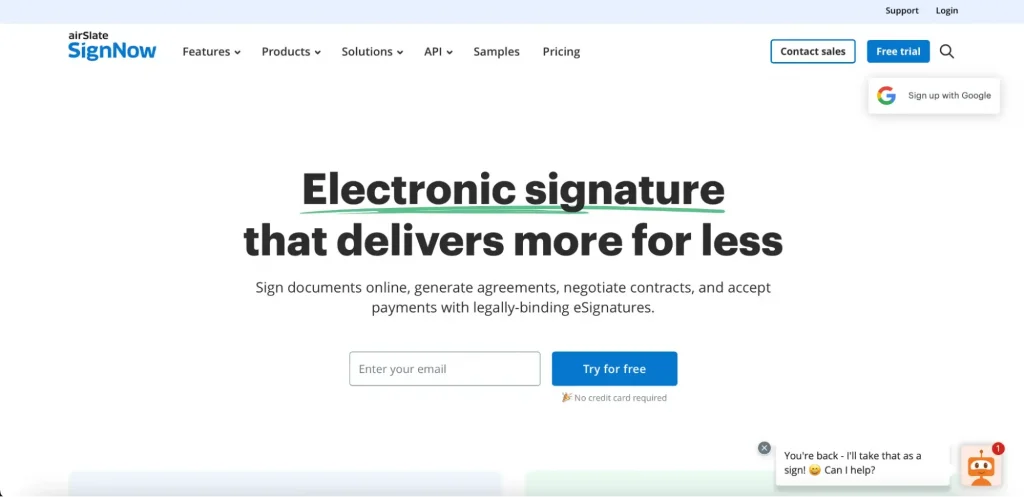
SignNow is a comprehensive eSignature solution used by small-to-medium-sized businesses and teams. Using SignNow allows businesses to streamline document workflows, accelerate document approval cycles, and enable teams and departments to get work done faster. SignNow allows quick access to your documents from anywhere, anytime.
With SignNow, signing and sharing documents is a smooth and effortless experience — all it takes is to set up a workflow based on your business needs and send out signature invites.
Make your custom signature with SignNow’s cursive signature generator and reuse it when signing documents. SignNow offers three ways to create a handwritten-style signature for signing documents online:
- Draw your signature using a mouse, touchpad, or touchscreen.
- Type your name or initials and choose a font you like.
- Upload an image of your handwritten signature.
SignNow’s industry-leading security and compliance protocols keep your sensitive data protected. SignNow’s eSignature satisfies the GDPR and HIPAA regulations, has a PCI DSS certification, and meets 21 CFR Part 11 and System and Organization Controls (Type Ⅱ) requirements. Previously, SignNow introduced PKI certificates, the security technology that underlies and enables digital signatures. Recently, SignNow has also offered Qualified Electronic Signatures.
Pricing:
SignNow offers users a free 7-day trial. After that, users can choose among SignNow’s payment plans as follows:
- Business ($8 per user per month) when billed annually
- Business Premium ($15 per user per month) when billed annually
- Enterprise ($30 per user per month) when billed annually
- Site Licence plan, a usage-based pricing option for enterprises sending over 1,000 signature invites annually. SignNow charges $1.50 per invite, with the available volume discounts.
Target businesses: Small-to-medium-sized businesses and enterprises
Legal compliance: Yes
2. DocHub
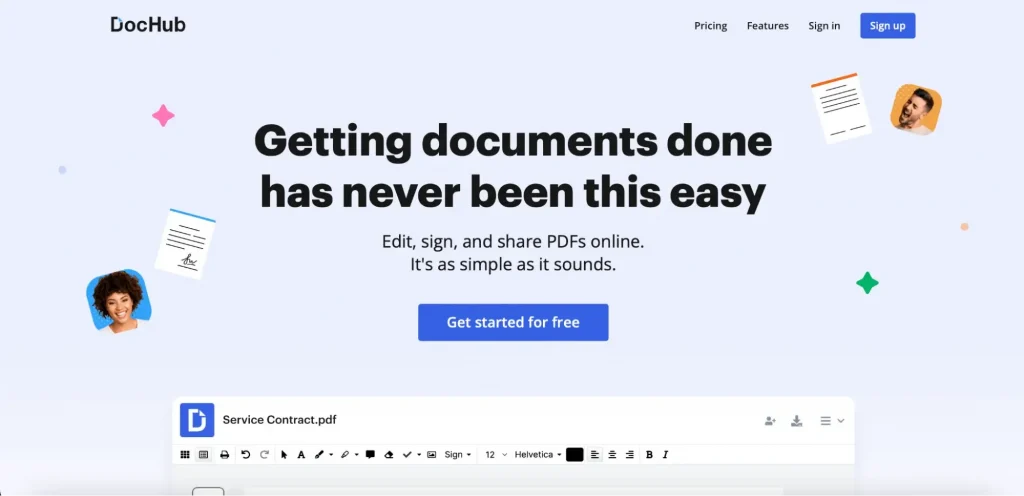
DocHub is a popular online PDF editor with fast and intuitive document signing features. It offers several subscription plans for various personal and business needs:
- Free subscription for occasional document work, and it can serve as an online signature maker that lets you upload documents or use a template to add the required fields. This plan allows for 3 PDF editing (documents) per month and 5 free online signatures per month.
- Basic plan for $8 per month offers advanced PDF tools, fillable PDFs, small-team collaboration features, and reusable document templates.
- Pro subscription plan for $12 per month with unlimited eSignatures, PDF editing, in-person signing, bulk sending, envelopes, and more.
- Site license plan offers an enterprise-grade collaboration feature for larger organizations, with the full Pro package plus HIPAA compliance, Organization management, priority support, and more. To get pricing for your company, you need to contact sales (volume discounts are available).
Target businesses: small-to-medium-sized businesses, teams, individual users
Legal compliance: Yes
3. WiseStamp

WiseStamp is an email signature generator that helps individuals and businesses create and manage professional, branded email signatures. It offers only paid subscriptions, all powered by an AI signature generator, with a 14-day free trial, allowing users to sign digital documents from most email clients (like Gmail, Outlook, Apple Mail). The pricing options include:
- Pro+ plan for $9/month is for individuals and micro-teams and offers simple email eSignature functionality with Gmail and Outlook sync.
- Basic plan for $19/month + $1/month/ employee is designed for basic management needs, with 5 signature templates available.
- Grow plan for $9/month + $1/month/employee has more advanced functionality, with campaigns, analytics, and automations.
- Platform plan for $189/month + $1/month/employee provides automation, roles and permissions, and server-side integration.
- Enterprise plan has custom pricing for large organizations, offering advanced security and compliance, audit logs, and custom organizational structures.
Pricing: Paid with a 14-day free trial option
Target businesses: freelancers, professionals, organizations, and enterprises.
Legal compliance: Not in all plans.
4. SignWell
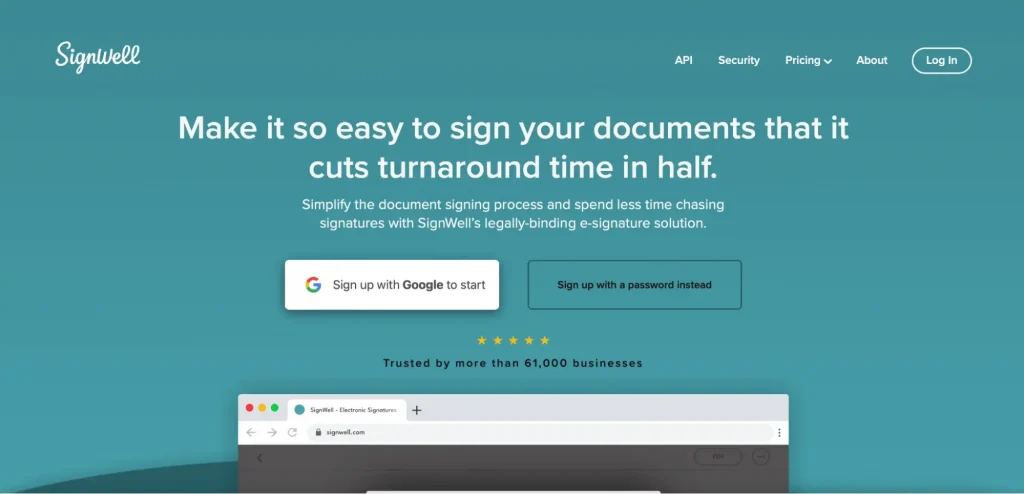
Another handwritten signature generator you should consider is SignWell. SignWell offers electronic signature functionality, including the ability to create a signature by typing or drawing it on your device. The document editing features of this solution are limited to adding certain types of fillable fields that allow signers to enter text, dates, initials, and signatures. After a document is finalized, you can send it with a single click.
SignWell offers several subscription options, including a free subscription plan. However, a free subscription can only accommodate the needs of individuals who need to sign no more than three documents a month. Paid subscriptions include:
- Light plan for $10/month includes 1 sender, no document limits, up to 5 templates, reminders and notifications, and bulk sending.
- Business plan for $30/month includes 3 senders, unlimited document an templates,
- Enterprise plan has custom pricing with full advanced eSignature functionality for large teams or high-volume use.
Pricing: Free (with limitations) and payment plans starting from from $10 per user per month
Target businesses: Personal and business users
Legal compliance: Yes
5. Signature Maker
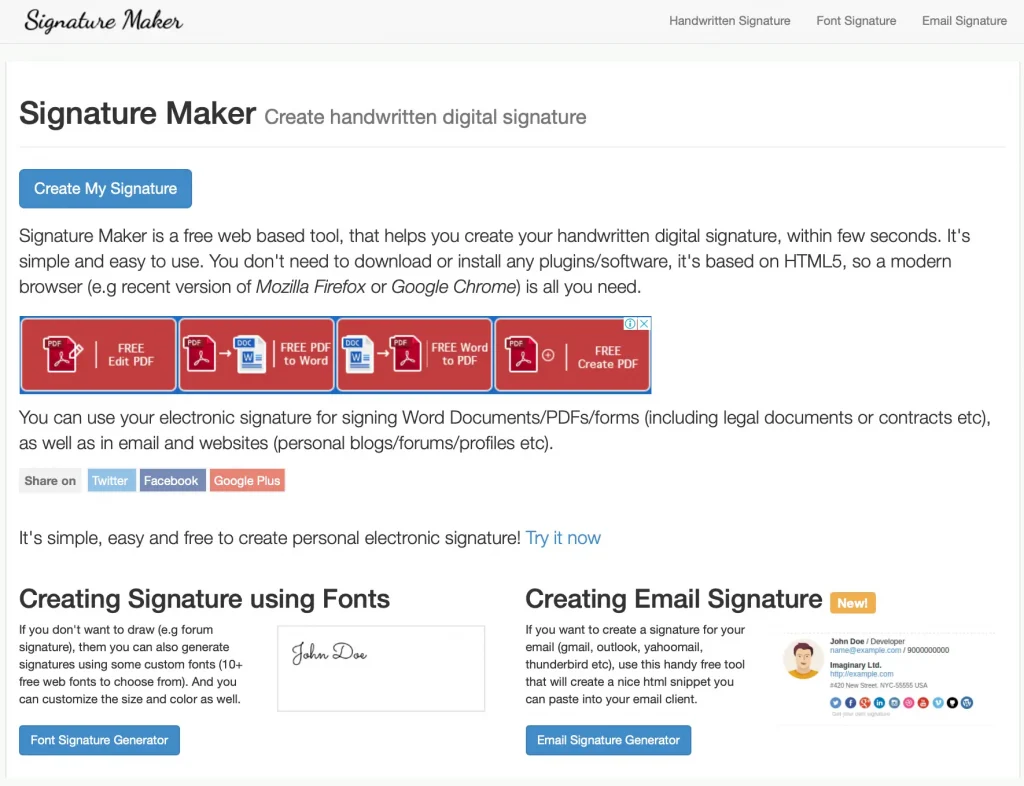
The simplest web-based document signing tool on our list is Signature Maker. It’s a free online signature generator that helps you create your handwritten digital signature within a few seconds. It also allows for either drawing or typing your signature online. Users can customize their online signatures by picking a pen color and width. After drawing your signature, click Save to download its image. If you type your signature, you can select its font, size, and color. You can also download a picture of your signature and use it on the documents you need to sign.
It’s also possible to create an email signature with this service. It helps create an HTML snippet that you can paste into an email to your client. To ensure security, the service automatically deletes all generated signatures after 15 minutes. This tool is free, but its functionality is limited and doesn’t really fit the needs and requirements of a business.
Pricing: Free
Target businesses: personal use
Legal compliance: No
How to create an electronic signature using SignNow
SignNow is an eSignature solution for teams and businesses of all sizes that can be used to store documents, send signature requests, and create complex workflows that meet your business needs.
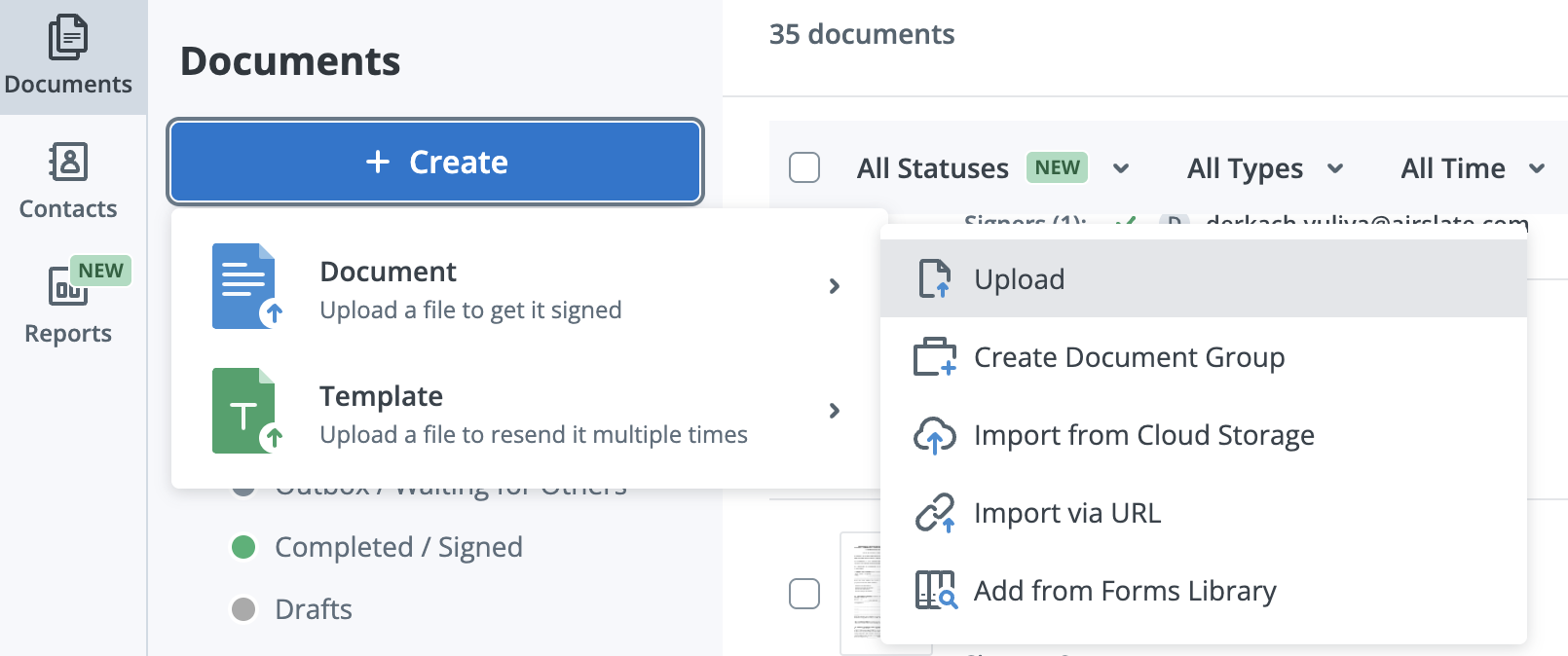
To create a signature online, log in to your SignNow account and pick a document you want to sign. There are several options on the Homepage:
- select an existing document or template from your SignNow Documents folder
- import a new document from your device, cloud storage, secure URL, or the platform’s Form Library.
You can work with the most popular document formats like PDF, DOCX, PPTX, and image file formats like JPG/JPEG and PNG.
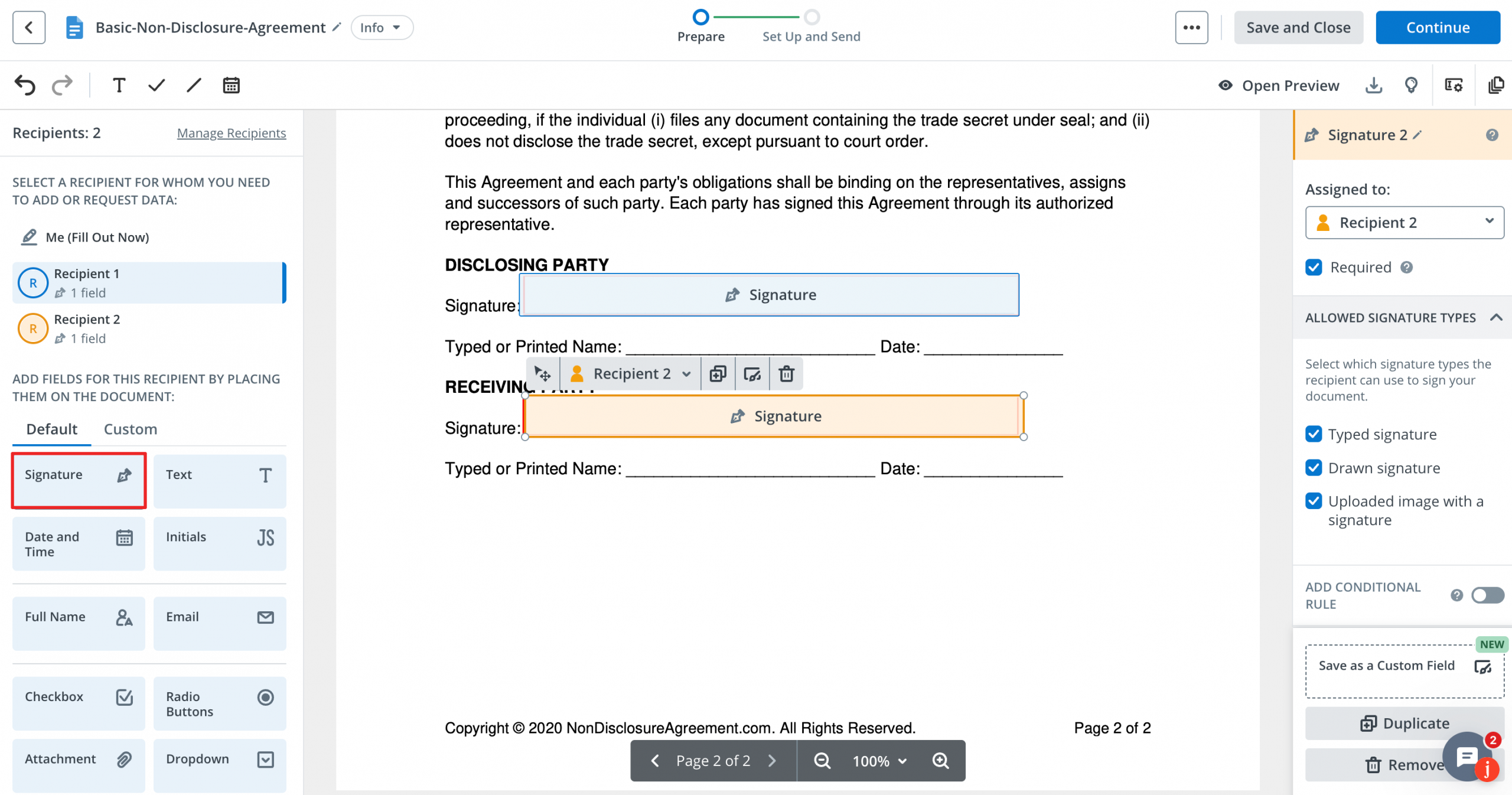
It’s possible to change an uploaded PDF document using the SignNow editor before signing it or sending it to another person. Add and delete signers by clicking Manage Recipients in the Recipients section in the top-left corner. There is a pop-up window where you can add recipients who need to fill out and sign this document, or delete them. Note that you can also create a signing order for your document and set an Approver role for one of the recipients (to review and approve the document to be sent to the recipients).
Use the Signature field button in the left-side toolbar to create fillable fields for various signers. Place the cursor anywhere in the document and click OK to save changes. If necessary, you can change the position of the signature field by dragging and dropping it.
In SignNow, there are three ways to create an eSignature:
- Type. Type your full name to create a handwritten signature. Modify the signature by selecting different looks and styles.
- Draw. Use your mouse or trackpad to draw your signature in the empty field.
- Upload. Drag and drop or upload an image of your signature in JPG, GIF, or PNG format from your device. Make sure the image size is under 4 Mb.
You can create and save several signature options and set one of them as a default. In the Select Your Signature pop-up, choose your preferred option and click Set as My Default Signature.
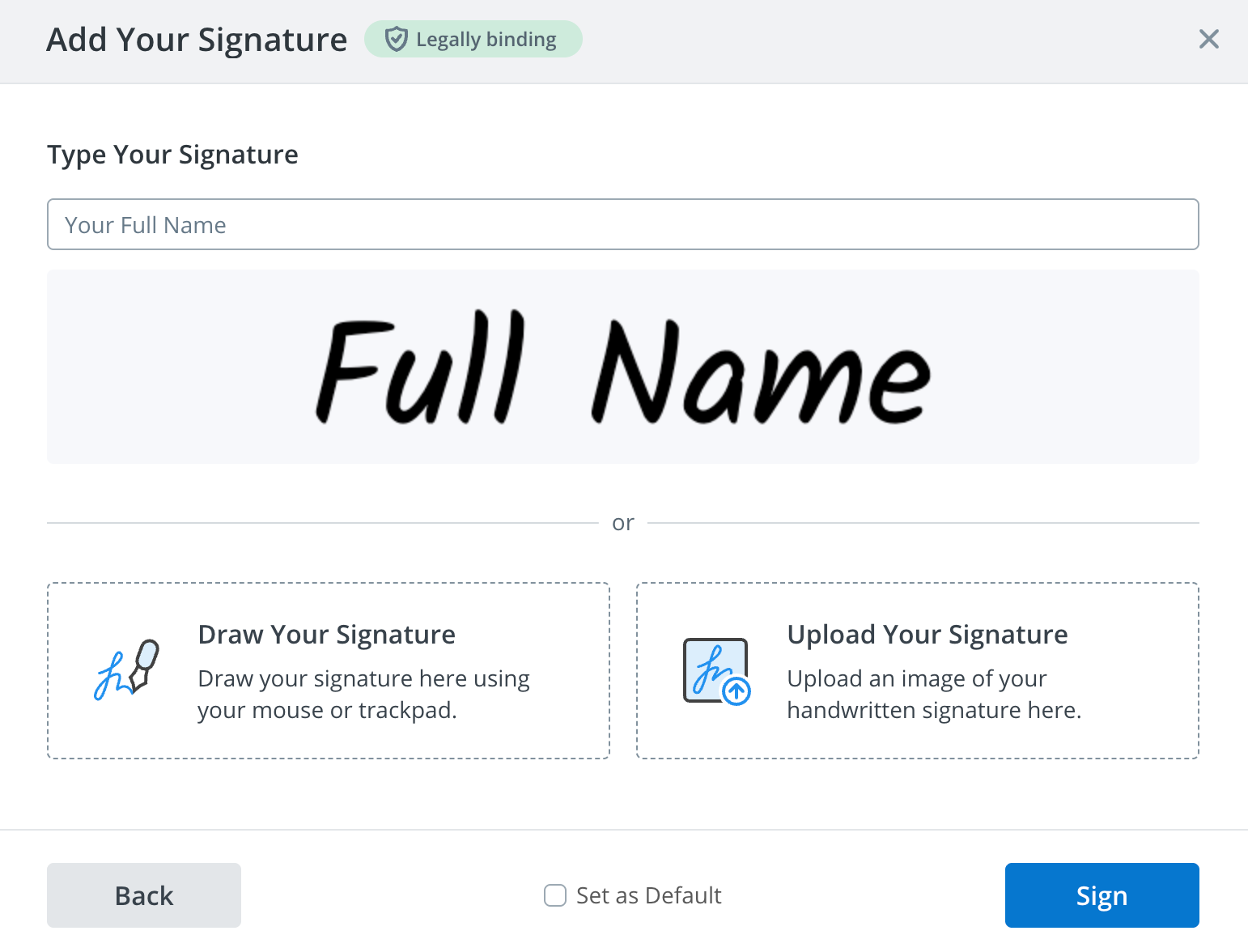
As soon as you’re satisfied with the result, use the Sign button to complete the process. To save all the changes made to the document, click Save and Close and go to the dashboard.
SignNow has a free 7-day trial, which allows users to test out more advanced functionality. In addition to a powerful electronic signature generator, SignNow allows for creating document templates and downloading documents with an Audit Trail. It’s also possible to merge, archive, move, rename documents, and more.
Watch the video below to learn how to create an electronic signature using SignNow:
How to create a signature in Microsoft 365 on Windows & macOS
If you are a Microsoft user, you may be wondering how to make your own signature in the Microsoft 365 solution. There are different ways to do that for Windows and macOS.
Create a handwritten signature in Microsoft 365 on Windows
To create a handwritten signature with Microsoft 365, you’ll need a scanner. Start by writing your signature on a piece of paper and scanning the page. Save the document on your computer and choose the format — BMP, GIF, JPG, or PNG. Open the file and crop the image so that only your signature is showing. Go to the Picture Tools Format tab, click Crop, and pick the appropriate size.
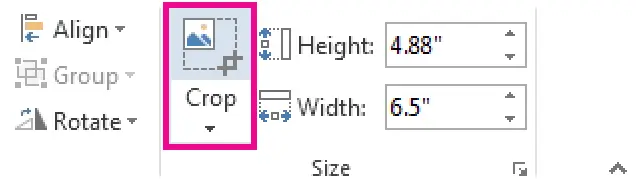
After that, right-click the image and choose Save as Picture to save the result as a separate file. To add a handwritten signature to your document, open the document and choose the necessary picture by clicking Insert > Pictures.
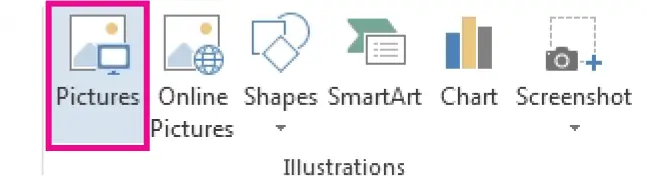
You can also add information to your signature like your job title, phone number, or email address. Save the text you want along with the picture as AutoText.
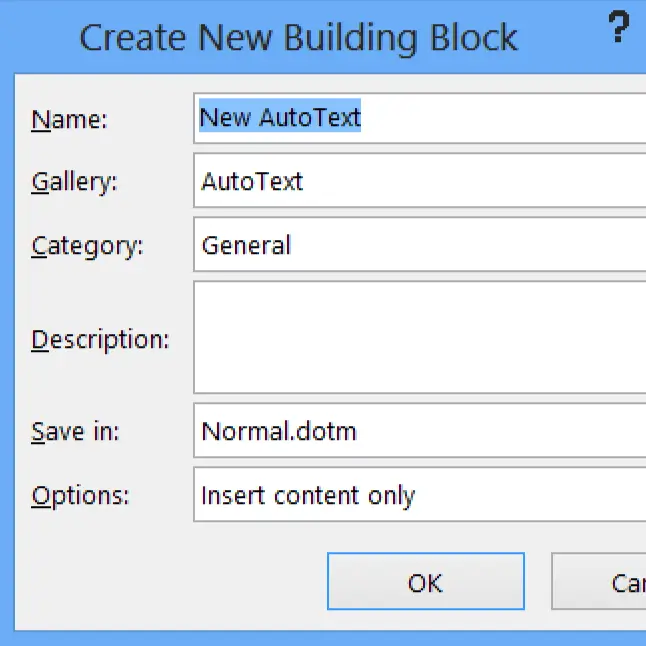
Start by typing all the text you require under the inserted picture. After that, select the picture and text by clicking Insert > Quick Parts. Choose Save Selection to Quick Part Gallery to open the Create New Building Block. Fill in all the required fields like name, gallery, category, description, and more. Remember to select AutoText in the Gallery box.
Now you can use your signature at any time by clicking Insert > Quick Parts > AutoText and choosing the name of your signature block.
Microsoft 365 offers a Signature Line feature to indicate where to sign the document. Just click where you want to place your signature and choose Insert > Signature Line. There is a Signature Setup box for you to type a signer’s name and job title.
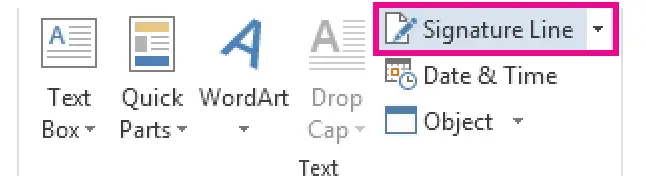
Create a handwritten signature in Microsoft 365 on macOS
The process of creating a handwritten signature in Microsoft 365 for macOS is similar to the one for the Windows operating system. You also need to put your signature on a piece of paper, scan the document, and save it as a picture in one of the standard file formats — BMP, GIF, JPG, or PNG.
Use the Insert tab to select your signature. Click Pictures > Picture from File.
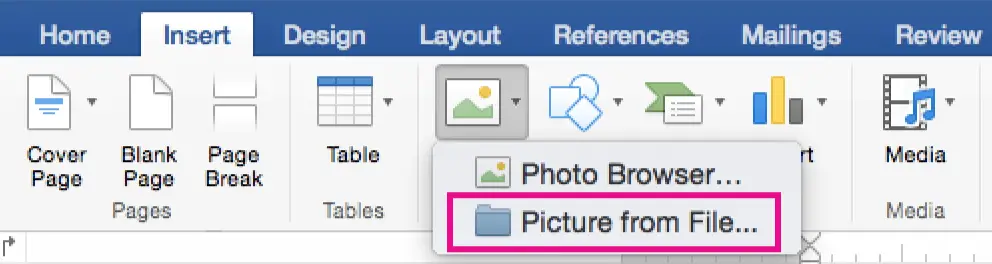
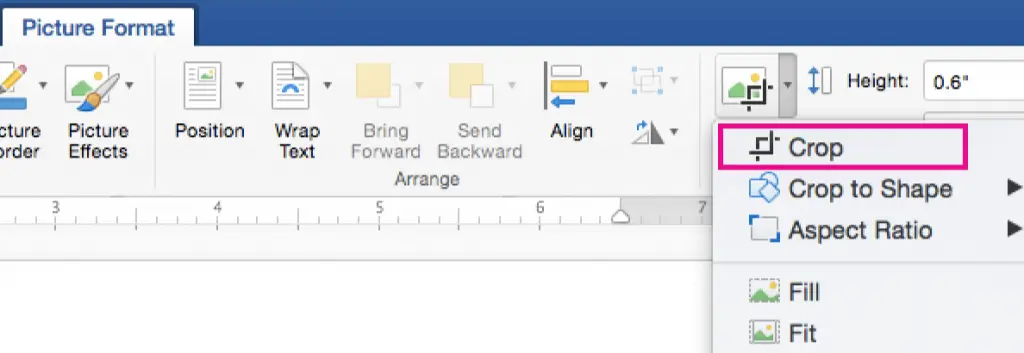
After choosing the picture you want, click the Insert button. To edit the picture, click the Picture Format tab and use the Crop button. Right-click the image and choose Save as Picture to use it in other documents.
Of course, you can add information like job title, phone number, or email address to your signature and then use them together next time. Click Insert and choose AutoText to open the Create New AutoText box. Type the signature name and save changes.
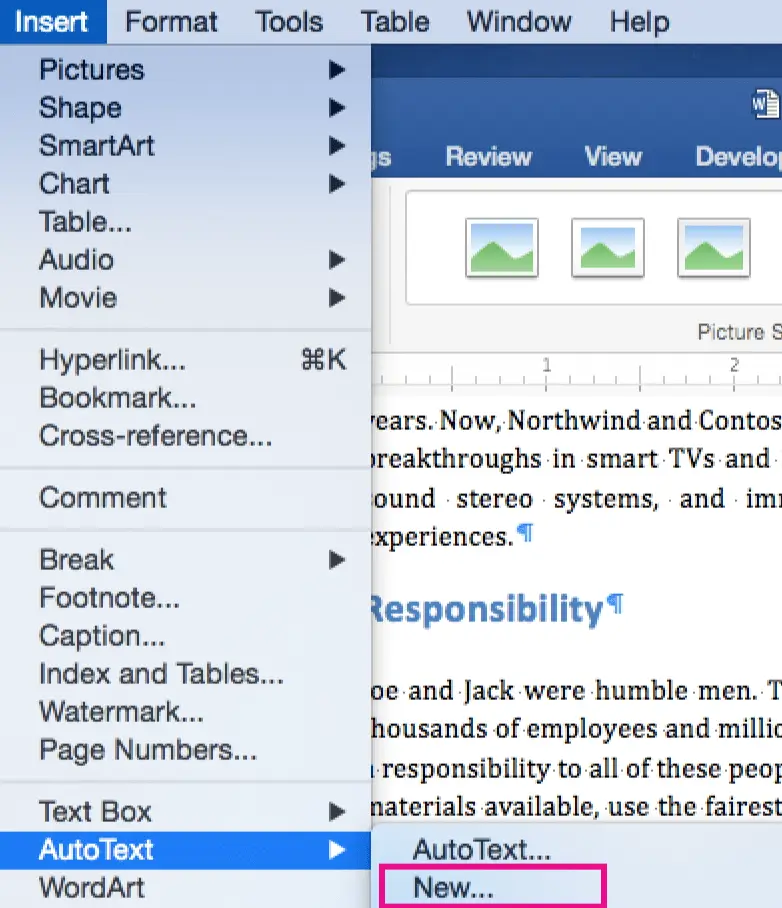
Next time you want to use your signature, choose the place where it’s inserted in the document and select AutoText > AutoText from the Insert menu to pick the signature you need.
As you can see, creating a handwritten signature in Microsoft 365 can be a real challenge. It’s obviously time-consuming and uncomfortable. This solution is suitable for personal use but wouldn’t be helpful to businesses and teams that need to sign multiple documents on a daily basis.
How do I create my own unique signature on a mobile?
Creating your unique electronic signature on a mobile device is simple and convenient. SignNow offers intuitive mobile applications for iOS and Android devices, allowing you to easily create, edit, and sign documents on the go.
Here’s how to create your signature using the SignNow mobile app:
- Download the SignNow app from the App Store or Google Play Store.
- Upload and open the document in the mobile editor to fill it out and prepare it for future signing.
- Tap on the Signature field to sign the document. If you have a default signature saved, it will instantly appear in the signing area. You can also edit it or add a new one.
- Choose your signature method:
- Draw your signature: Use your finger or a stylus to draw your signature directly on the screen.
- Type your signature: Enter your name and select from a variety of font styles to create a personalized signature.
- Upload your signature: Write your signature on paper, scan or photograph it, and upload the image to the app.
- Customize your signature, adjusting its size, color, and style to match your preferences.
- Save your changes to the file or send it to your recipients for signing.
The biggest advantage of the SignNow mobile apps is the ability to work offline. You can host signing sessions without an internet connection, prepare documents, collect signatures, and check document statuses. Once you’re back online, all signed documents automatically sync to the server.
Keep in mind: A signature image isn’t the same as an eSignature
Spending less than a minute to digitize your handwritten signature to then insert it into an electronic document or email may sound enticing. However, using electronic signatures generated with online apps like WiseStamp and Signature Maker can be risky when it comes to data security, confidentiality, and compliance.
Keep in mind that images of handwritten signatures are not the same as legally-binding eSignatures. eSignature solutions for teams and businesses abide by industry-leading security and compliance standards in the US, Europe, and around the world to sign and send documents for signing, so you can rest assured your data is safe and secure.
FAQ
What is an online signature generator?
An online signature generator is a tool that allows you to create a digital version of your handwritten signature. You can draw, type, or upload your signature to securely and efficiently sign digital documents from any device.
Are online handwritten signatures legally binding?
Yes, online handwritten signatures are legally binding in most countries, provided they comply with eSignature laws like the E-SIGN Act or eIDAS regulations. Always ensure the tool you use meets these standards.
How do I create a handwritten signature online for free?
You can use some free tools like Signature Maker or Signaturely to draw or type your signature. These platforms allow you to customize and download your signature in various formats. However, ensure the selected tool complies with major eSignature regulations to make your online signatures valid. You can also use trusted professional electronic signature tools, like SignNow, for free during the trial period.
Can I use my online signature for official documents?
Yes, online signatures are widely accepted for contracts, agreements, and other important documents. Ensure the tool you use provides compliant eSignatures and meets security and privacy standards.
Can I sign documents online on my mobile device?
Yes, most online signature generators offer mobile apps that let you sign documents online on the go. If you don’t want to install an app, cloud-based tools, like SignNow or DocHub, also allow you to manage and sign important documents from a mobile browser.
What file formats are best for saving my signature?
The best formats for saving your electronic signatures are PNG (for transparency), PDF (for documents), and SVG (for scalability).